
 Kia Sorento: Smart key unit Removal
| 1. |
Disconnect the negative (-) battery terminal.
|
| 2. |
Remove the glove box housing (A).
(Refer to Body - "Crash pad")
|
| 3. |
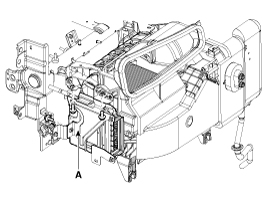
Remove the smart key unit (A) after removing the bolts and connectors.
|
| 1. |
Disconnect the negative (-) battery terminal.
|
| 2. |
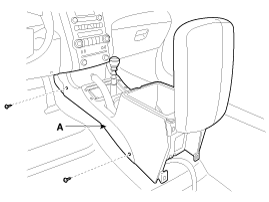
Remove the console assembly (A).
(Refer to Body - "Console")
|
| 3. |
After loosening the antenna bolts (2EA) and connector, remove
the interior 1 antenna (A).
|
| 1. |
Disconnect the negative (-) battery terminal.
|
| 2. |
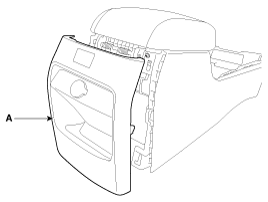
Remove the floor console rear cover (A).
(Refer to Body - "Console")
|
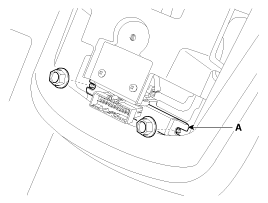
| 3. |
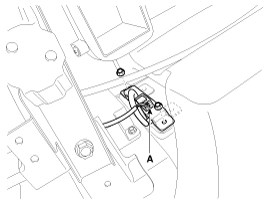
After loosening the antenna nuts (2EA) and connector, remove the
interior 2 antenna (A).
|
| 1. |
Disconnect the negative (-) battery terminal.
|
| 2. |
After loosening the mounting bolts, then remove the third seat
assembly (A).
(Refer to Body - "Rear seat")
|
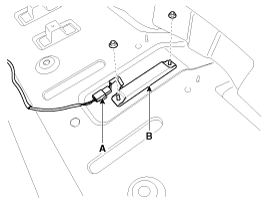
| 3. |
After loosening the antenna nuts (2EA) and connector (A), remove
the interior 3 antenna (B).
|
| 1. |
Disconnect the negative (-) battery terminal.
|
| 2. |
Remove the rear bumper.
(Refer to Body - "Rear bumper")
|
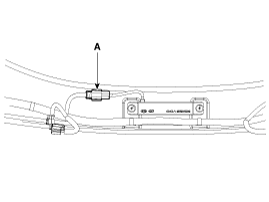
| 3. |
Disconnect the antenna connector (A) on the center of rear bumper.
|
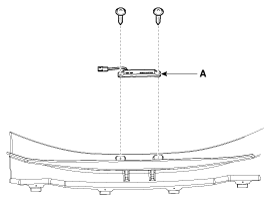
| 4. |
After loosening the screws (2EA), remove the exterior bumper antenna
(A).
|
| 1. |
Disconnect the negative (-) battery terminal.
|
| 2. |
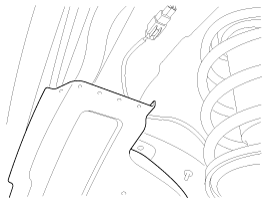
Remove the front left wheel guide.
|
| 3. |
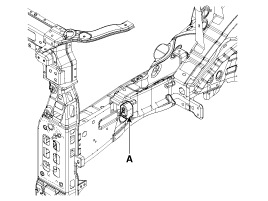
Disconnect the connectors, then remove the buzzer (A).
|
| 1. |
Disconnect the negative (-) battery terminal.
|
| 2. |
Disconnect the connector after removing the door trim.
(Refer to Body - "Front door")
|
| 3. |
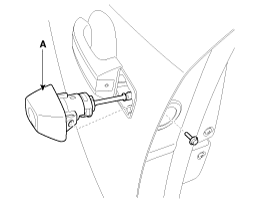
After loosening the mounting bolt, then remove the key holder
(A).
|
| 4. |
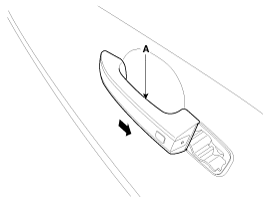
Remove the outside handle (A) by sliding it rearward.
|
| 1. |
Disconnect the negative (-) battery terminal.
|
| 2. |
Remove the tailgate garnish.
(Refer to Body - "Body side molding")
|
| 3. |
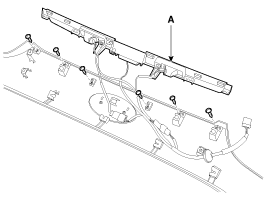
Remove the outside handle panel assembly (A) after removing the
screws and connectors.
|
| 4. |
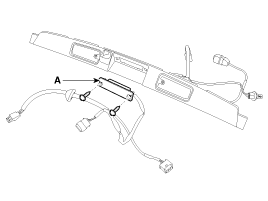
Remove the outside handle (A) after removing the screws.
|

 Smart key unit Inspection
Smart Key Unit
-
Refer to BE group - inspection / self diagnosis with scan tool.
Smart Key Switch
-
Refer to BE group - inspection / self diag ...
See also:
Occupant Detection system (ODS) Removal
1.
Disconnect the battery negative cable, and wait for at least three
minutes before beginning work.
2.
Remove the front passenger seat ass ...
Troubleshooting, Customer Complaint Analysis Check Sheet
There are six areas where a problem can occur: wiring harness, the radio,
the CD player, and speaker. Troubleshooting enables you to confine the problem
to a particular area.
Chart 1 ...
Description
The hydraulic system consists of oil, an oil filter, an oil pump, and
a valve body (valves and solenoid valves).
The oil pump is powered by the engine. ATF passes through the oil filter
...
Categories
- Home
- First Generation
- Second Generation
- Kia Sorento XM 2011-2026 Owners Manual
- Kia Sorento XM 2011-2026 Service Manual
