
 Kia Sorento: Sound settings
Press the 
key ![Select [Sound] through](images/books/3/1/page.h203.gif)
Select [Sound] through
 TUNE knob or key
 Select menu through
 TUNE knob
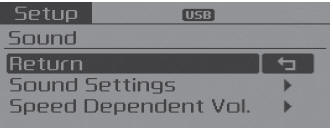
Sound Settings
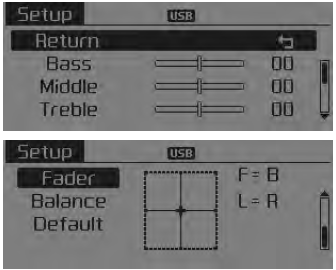
This menu allows you to set the ‘Bass, Middle, Treble’ and the Sound Fader and Balance.
Select [Sound Settings] 
Select menu through 
TUNE knob 
Turn 
TUNE knob left/right to set
- Bass, Middle, Treble : Selects the sound tone.
- Fader, Balance : Moves the sound fader and balance.
- Default : Restores default settings.
❈ Back : While adjusting values, pressing the
 TUNE knob will
restore the parent menu.
Speed Dependent Volume Control
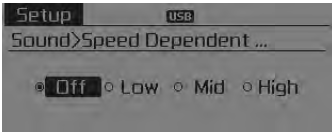
This feature is used to automatically control the volume level according to the speed of the vehicle.
Select [Speed Dependent Vol.] ![Set in 4 levels [Off/Low/Mid/High] of](images/books/3/1/page.h214.gif)
Set in 4 levels [Off/Low/Mid/High] of
 TUNE knob
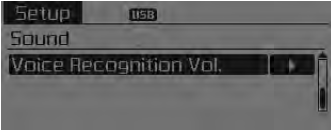
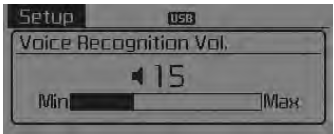
Voice Recognition Volume
Adjusts voice recognition volume. Select [Voice Recognition Vol.]
Set volume of 
TUNE knob
 \
\
 Setup
Setup
Display Settings
Press the
key Select
[Display] through
TUNE knob or
key Select
menu through
TUNE knob
Mode Pop up
[Mode Pop up]
Changes selection mode
During On state, pr ...
 System settings
Press the
key
Select [System]
Select menu through
TUNE knob
Memory Information
Displays currently used memory and total system memory.
Select [Memory Information]
OK The currently us ...
See also:
Heater Unit Components
1. Heater Case
2. B Pillar Case
3. Shower Duct
4. PTC Heater
5. Heater Core
6. Heater Core Cover
7. Mode Actuator
8. Mode Bracket
9. Mode Lever Main
10. Def D ...
Tightening Torques
Items
N.m
kgf.m
lb-ft
Compressor
19.6 ~ 33.3
2.0 ~ 3.4
14.5 ~ 24.6
Condenser - Discharge hose
4.9 ~ 7.8
0.5 ~ 0 ...
Installation
•
Install the component with the specified torques.
•
...
Categories
- Home
- First Generation
- Second Generation
- Kia Sorento XM 2011-2026 Owners Manual
- Kia Sorento XM 2011-2026 Service Manual
