
 Kia Sorento: Using the infotainment system or climate switchable controller

Press the button on the switchable controller to select the infotainment system or climate control panel.
Press and hold the button to select the control panel’s default mode.
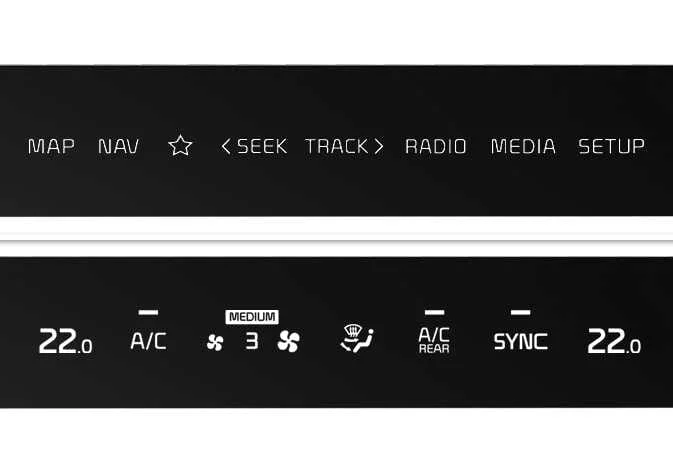
Switching between panels
|
Press the button on the switchable controller to select the desired control panel.
The selected control panel icon will illuminate, and the control panel will change.
-
The knob display illuminates according to the selected control panel mode.
-
When the vehicle is in ACC, only the infotainment system will activate.
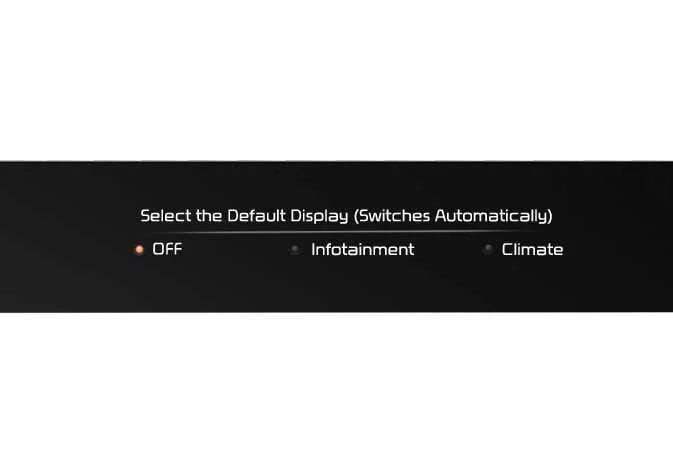
Setting the default mode: (if equipped)
|
Press and hold the button to select the control panel’s default mode.
-
After you set your default mode, the control panel will return to it after a certain period of time, even if you switch the control panel to another mode.
-
If the mode is set to OFF, the control panel will display the mode used most recently.

 Over-The-Air (OTA) software update
The advanced Over-The-Air (OTA) software update feature embedded in your Kia Sorento allows you to wirelessly
download and apply system patches without visiting a service center. By utilizing thi ...
See also:
Front seat adjustment - manual
Forward and backward
To move the seat forward or backward:
1. Pull the seat slide adjustment lever up and hold it.
2. Slide the seat to the position you desire.
3. Release the lever and make sur ...
Circuit Diagram
...
Exterior overview
1. Hood
2. Head lamp
3. Fog lamp
4. Wheel and tire
5. Outside rearview mirror
6. Panorama sunroof
7. Front windshield wiper blades
8. Windows
9. Door locks
10. Fuel filler lid
11. Rear c ...