
 Kia Sorento: Setup
Display Settings
Press the 
key ![[Display] through](images/books/3/1/page.h187.gif) Select
Select
[Display] through 
TUNE knob or 
key  Select
menu through 
TUNE knob
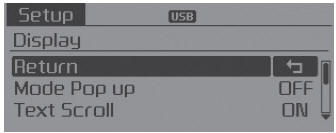
Mode Pop up
[Mode Pop up] 
Changes  selection mode
During On state, press the
 or
or
 key to display
the mode change pop up screen.
Text Scroll
[Text Scroll] 
Set 
-

:Maintains scroll  : Scrolls only one (1) time.
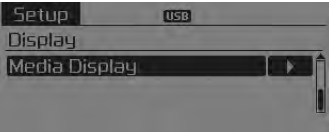
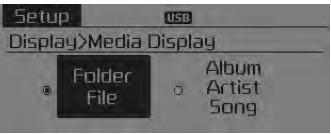
Media Display
When playing an MP3 file, select the desired display info from ‘Folder/File’ or ‘Album/Artist/Song’.
 Audio Head Unit
(1)
(EJECT)
Ejects the disc.
(2)
Changes to FM/AM/SIRIUS mode.
Each time the key is pressed, the mode is changed in order of FM1 ➟ FM2 ➟ AM
➟ SAT1 ➟ SAT2 &# ...
 Sound settings
Press the
key
Select [Sound] through
TUNE knob or key
Select menu through
TUNE knob
Sound Settings
This menu allows you to set the ‘Bass, Middle, Treble’ and the Sound Fader ...
See also:
Audio Remote Control Inspection
1.
Check for resistance between No.2 and No.7 terminals in each switch
position.
[Audio System]
Switch
Connector
terminal
...
Cylinder Head Inspection
Cylinder Head
1.
Inspect for flatness.
Using a precision straight edge and feeler gauge, measure the surface
the contacting the cylinder block and the manifolds fo ...
Hands Free Switch Inspection
1.
Check the handsfree remote control switch for resistance between
No.2 and No.5 terminals in each switch position.
[Call + Hang Up]
Switch
...
Categories
- Home
- First Generation
- Second Generation
- Kia Sorento XM 2011-2026 Owners Manual
- Kia Sorento XM 2011-2026 Service Manual
