
 Kia Sorento: Manual Speed Limit Assist (MSLA). Manual Speed Limit Assist operation
|
|
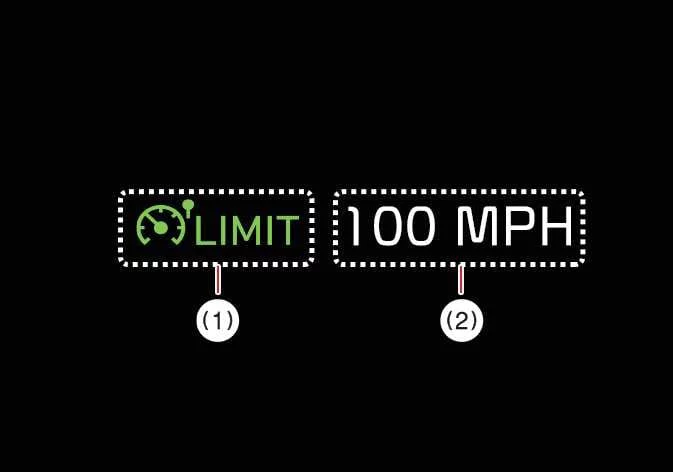
Manual Speed Limit Assist allows you to set a precise maximum speed for your Kia Sorento, ensuring you remain within legal limits or your personal preferences. If you happen to exceed the preset speed, the system will alert you via a blinking set speed display and an audible chime until you decelerate back within the defined threshold.
Manual Speed Limit Assist operation
Setting the speed limit
-
While maintaining your desired cruising speed, press and hold the Driving Assist button. The Speed Limit indicator will illuminate on the Kia Sorento instrument cluster.
-
Push the adjustment switch up or down and release it to set the speed. By pushing and holding the switch, the speed will adjust to the nearest 5 mph or 10 km/h increment, making it simple to refine your target speed.
-
Your chosen speed limit is clearly shown on the instrument cluster. Should you cross this limit, the system will provide visual and audible feedback.
-
The vehicle will maintain the established speed as long as the accelerator pedal is not pressed beyond the internal pressure point.
-
Available speed settings may vary by vehicle trim and region; there are predefined maximum limits that the system will not exceed.
-
Temporarily pausing Manual Speed Limit Assist

|
You can instantly suspend the speed limiter by pressing the pause switch. While the active speed limit restriction is temporarily disengaged, the Speed Limit indicator remains ON to show that the system is in standby mode.
Resuming Manual Speed Limit Assist
|
|
To reactivate the speed limiter after a pause, utilize the steering wheel control switches:
-
Pushing the adjustment switch up or down will set the limit to your current real-time vehicle speed.
-
Pressing the resume switch will immediately re-engage your previously stored speed limit.
Turning OFF Manual Speed Limit Assist
|
|
To completely disable the system, press the Driving Assist button. The Speed Limit indicator will extinguish, signifying that manual speed control is fully restored.
Precautions for safe operation:
Always calibrate your speed limit to remain within the legal posted limits of the road.
Keep the system switched OFF when not in use to prevent accidental activation. Confirm that the Speed Limit indicator is not visible on the cluster.
Manual Speed Limit Assist is a convenience tool, not an autonomous driver. It does not replace your focus. You remain fully responsible for monitoring traffic, road conditions, and responding safely to sudden driving hazards.
See also:
Driver Airbag (DAB) Module and Clock Spring Description
Driver Airbag (DAB) is installed the steering wheel and electrically connected
to SRSCM via the clock spring. It protects the driver by deploying the airbag
when frontal crash occurs. The SRS ...
Changing a tire with TPMS
If you have a flat tire, the Low Tire Pressure telltale will come on. Have the
flat tire repaired by an authorized Kia dealer as soon as possible or replace the
flat tire with the spare tire.
CAUTI ...
Cruise control system
1. Cruise indicator
2. Cruise set indicator
The cruise control system allows you to program the vehicle to maintain a constant
speed without pressing the accelerator pedal.
This system is design ...