
 Kia Sorento: Forward Collision-Avoidance Assist settings
Forward Safety

|
|
While the vehicle is ON, tap Setup > Vehicle > Driver Assistance > Driving Safety on the infotainment system screen to change the Forward Collision-Avoidance Assist settings.
Forward Safety: Collision warning or emergency braking may operate in a collision-imminent situation. If you deselect
the setting, Forward safety will turn off and the Forward Safety warning light ( ) will appear on the
cluster.
) will appear on the
cluster.
Forward Cross-Traffic Safety: (if equipped)
|
|
|
While the vehicle is ON, tap Setup > Vehicle > Driver Assistance > Driving Safety > Forward Cross-Traffic Safety on the infotainment system screen to change the Junction Crossing function settings.
Forward/Side Safety: (if equipped)
|
|
|
While the vehicle is ON, tap Setup > Vehicle > Driver Assistance > Driving Safety > Forward/Side Safety on the infotainment system screen to change the Forward/Side Safety settings for your Kia Sorento.
Forward/Side Safety: Collision warning or emergency steering may assist the driver in a collision-imminent situation.
If you deselect the setting, Forward safety will turn off and the Emergency steering warning light () will appear on
the
cluster.
You can monitor Forward Collision-Avoidance Assist setting status on the Settings menu of the infotainment system
screen. If the Forward Safety warning light (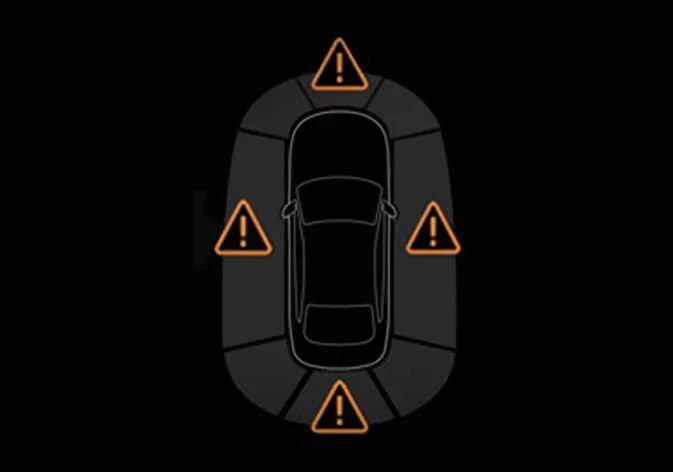 ) or Emergency steering
warning light (
) or Emergency steering
warning light ( ) remains ON when Forward
safety
or Forward/Side safety is selected, have the vehicle inspected by an authorized Kia dealer.
) remains ON when Forward
safety
or Forward/Side safety is selected, have the vehicle inspected by an authorized Kia dealer.
TIP
Even when Forward safety is turned ON, it is the driver’s responsibility to remain alert and in control of the vehicle. However, if Forward safety is turned OFF, the system will be unable to provide assistance.
CAUTION
-
Steering wheel vibration can be turned ON or OFF.
-
Forward Safety settings include the “Basic,” “Junction Turning,” and “Direct Oncoming” functions. Forward Cross-Traffic Safety includes the “Junction Crossing” function. Forward/Side Safety includes the “Lane Change Oncoming”, “Lane Change Side”, and “Evasive Steering Assist” functions.: (if equipped)
-
If Forward Safety is set to OFF, even if Forward Cross-Traffic Safety and Forward/Side Safety are selected, “Junction Crossing” function will not operate.: (if equipped)
-
When using a Kia genuine Trailer Kit and the connector is plugged into your vehicle, Forward Collision-Avoidance Assist’s Forward/Side Safety function automatically turns OFF. In this case, you cannot get help from Forward Collision-Avoidance Assist. Pay extra attention when you drive while the function is inactive. (A Kia genuine Trailer Kit can determine whether a trailer is connected.)
Forward Safety Warning Timing
|
|
|
While the vehicle is ON, tap Setup > Vehicle > Driver Assistance > Driving Safety > Forward Safety Warning Timing on the infotainment system screen to change the Forward Collision-Avoidance Assist Warning Timing settings on your Kia Sorento.
-
Use Standard in normal driving conditions. If the Warning Timing seems sensitive, change it to Late.
-
If you select Late, Forward Collision-Avoidance Assist warns you more slowly.
CAUTION
-
Even if you select Standard Warning Timing, the warning may seem too slow if the vehicle ahead stops suddenly.
-
Select Late Warning Timing when driving at low speeds in light traffic.
TIP
-
Forward/Side Safety settings do not provide the warning timing setting.
-
The warning timing will not reset, even when restarting the vehicle.
Warning Methods
|
|
|
To change the Warning Methods settings while the vehicle is ON, tap Setup > Vehicle > Driver Assistance > Warning Methods on the infotainment system screen in your Kia Sorento. You can change the following settings:
-
Warning Volume: Adjusts the volume of the warning sound. If you turn OFF the Warning Volume setting, the function may still warn you at a low volume for your safety.
-
Haptic Warning: Turns ON the steering wheel vibration warning.
-
Driving Safety Priority: Lowers all other audio volumes when the Driving Safety system sounds a warning.
TIP
-
Your Warning Methods settings may apply to the Warning Methods of other driver assistance systems.
-
Warning Methods maintain their last settings when you turn OFF and restart the vehicle.
-
The Warning Methods setting menu may not be available on all vehicles.
-
The Warning Volume and Haptic Warning cannot be turned OFF at the same time. When you turn OFF one warning, the other turns ON.
 Forward Collision-Avoidance Assist (FCA) (Sensor Fusion)
 Forward Collision-Avoidance Assist operation
See also:
Engine Control Module (ECM) Adjustment
...
Shift Lever Installation
1.
Install in the reverse order of removal.
Set shift lever and inhibitor ...
Quarter Fixed Glass Installation
1.
With a putt knife, scrape the old adhesive smooth to a thickness
of about 2mm (0.08 in.) on the bonding surface around the entire quarter
fixed glass flange.
...
Manuals list
- Kia Sorento MQ4 2021-2026 Owners Manual
- Kia Sorento XM 2011-2015 Owners Manual
- Kia Sorento XM 2011-2015 Service Manual
