
 Kia Sorento: Driver Attention Warning malfunction and limitations
Driver Attention Warning malfunction
 |
(A) Check Driver Assistance system. |
If the Driver Attention Warning system experiences an internal fault, the Master warning light ( ) will illuminate
on
the instrument cluster, accompanied by a persistent warning message. Should this occur, we recommend having your Kia
Sorento inspected by an authorized dealer to ensure the system is restored to proper working order.
) will illuminate
on
the instrument cluster, accompanied by a persistent warning message. Should this occur, we recommend having your Kia
Sorento inspected by an authorized dealer to ensure the system is restored to proper working order.
Driver Attention Warning disabled
|
|
(A) Driver Assistance system limited. Camera obscured. |
If the windshield area housing the front-view camera, the front radar cover, the bumper, or relevant sensors become obstructed by foreign materials like mud, heavy snow, or freezing rain, the detection performance of the Kia Sorento may be impaired. This will lead to a temporary limitation or suspension of the Driver Attention Warning functionality.
When this happens, the Master warning light () and an alert message will appear; please note that this is a protective
measure
rather than a hardware malfunction. The system will resume normal operation automatically once the obstructions are
cleared.
If the system remains inactive after cleaning the sensors, or if you have attachments like a trailer or bike carrier on the rear bumper, please visit an authorized Kia dealer for a professional inspection.
WARNING
-
Be aware that the Driver Attention Warning may not operate correctly even if no warning light or message is currently displayed on your Kia Sorento instrument panel.
-
The system may also struggle to function in wide-open environments where there are no distinct objects for the sensors to track, or if sensors are obstructed immediately upon turning the vehicle ON.
TIP
You can verify the current status and detailed messages regarding the Driver Attention Warning system via the utility information menu on your instrument cluster.
Limitations of Driver Attention Warning
The effectiveness of the Driver Attention Warning system in your Kia Sorento may be compromised or result in unexpected behavior under specific conditions:
-
Driving styles characterized by aggressive maneuvering.
-
Frequent and rapid lane changes.
-
When other active safety systems, such as Lane Keeping Assist, are currently providing automated steering or corrective input.
Leading vehicle departure alert function
-
When a vehicle cuts in
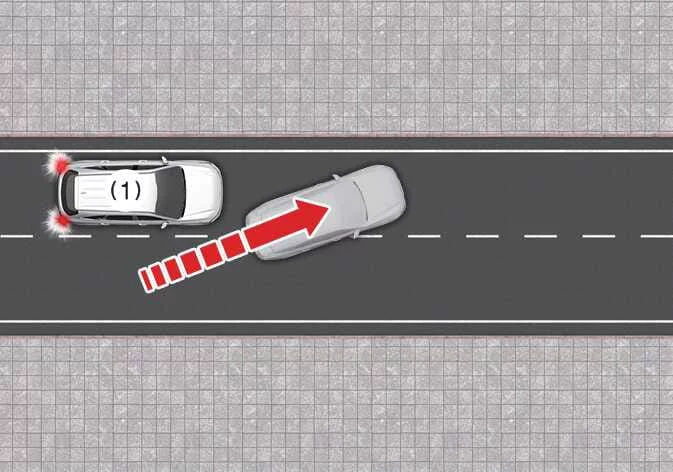
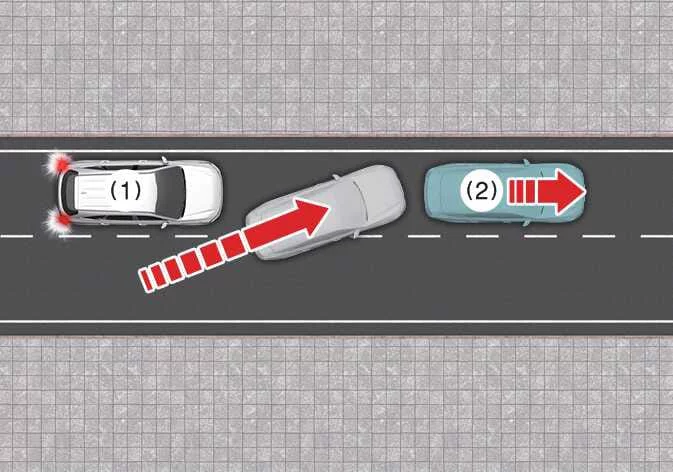
-
Your Kia Sorento
-
Vehicle ahead
If a vehicle abruptly cuts into your lane, the Leading Vehicle Departure Alert may not register the movement correctly.
-
-
When the vehicle ahead steers sharply
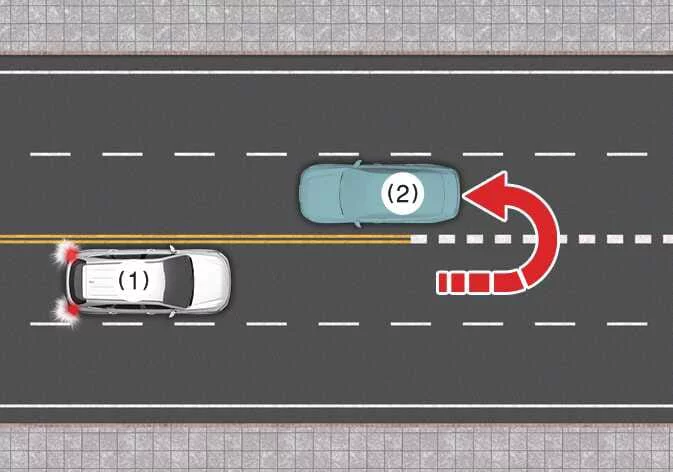
-
Your Kia Sorento
-
Vehicle ahead
Should the leading vehicle perform a sharp turn, U-turn, or rapid change of direction, the alert system might not operate as expected.
-
-
When the vehicle ahead abruptly departs
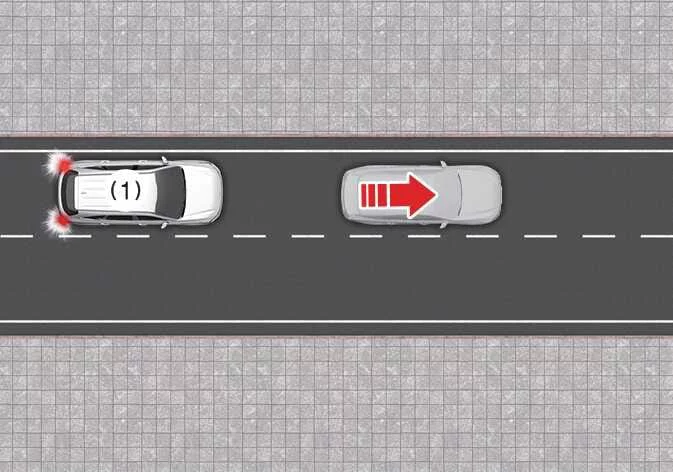
-
Your Kia Sorento
In scenarios where the car ahead accelerates or departs with excessive abruptness, the system's reaction time or detection may be affected.
-
-
When a pedestrian or cyclist is between you and the vehicle ahead
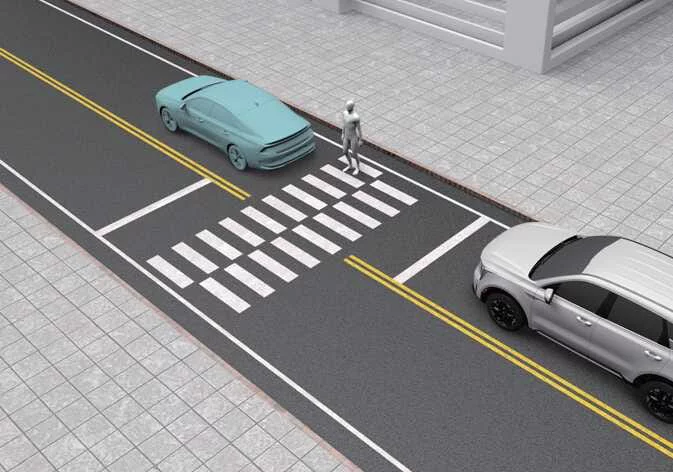
The presence of vulnerable road users, such as pedestrians or cyclists, between your Kia Sorento and the lead vehicle can cause detection inconsistencies.
-
When in a parking lot
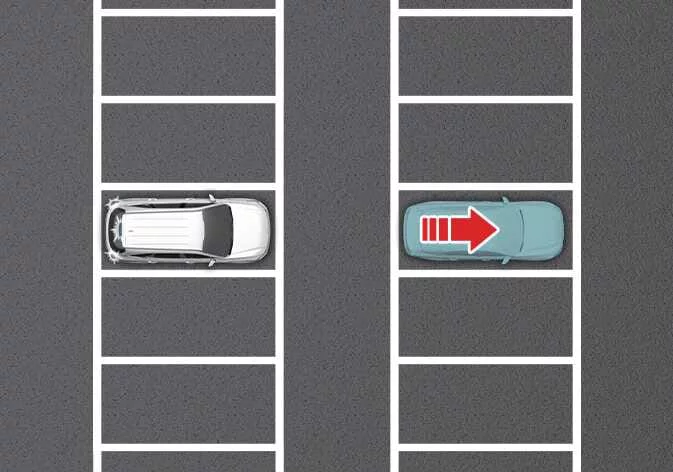
In parking environments, the system may occasionally trigger an alert if a stationary vehicle parked ahead begins to pull away.
-
When driving at a tollgate or intersection
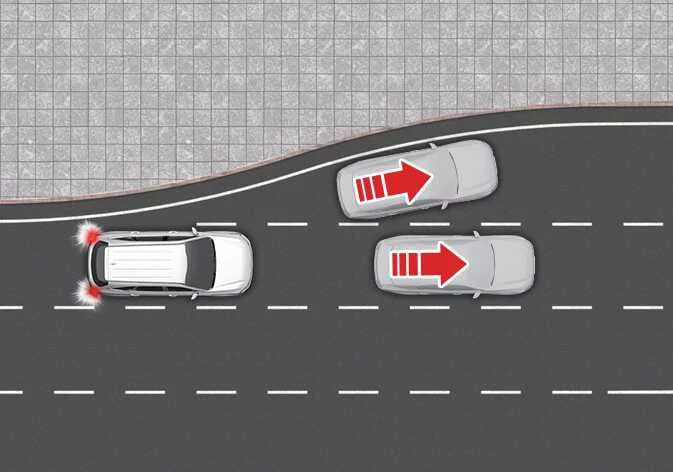
Complex environments such as busy tollgates, intersections, or areas with frequent lane merging and splitting may interfere with the system's ability to monitor vehicles effectively.
TIP
Note that the Driver Attention Warning might require up to 15 seconds to initialize and become active after you restart your Kia Sorento or manually initialize the front-view camera.
TIP
For more detailed technical information regarding the front-view camera functionality, please consult the section dedicated to Forward Collision-Avoidance Assist (FCA) (Sensor Fusion) in your owner's manual.
 Driver Attention Warning settings. Leading Vehicle Departure Alert. Driver Attention Warning operation
 Smart Cruise Control (SCC)
See also:
Description
Burglar Alarm State [B/A State]
B/A State
Description
DISARM
1.
In "DISARM" state, no vehicle start inhibition. So, whe ...
Inspection
1.
Connect the GDS on the Data Link Connector (DLC).
2.
Measure the output voltage of the MAPS at idle and IG ON.
Spe ...
Reverse Parking Collision-Avoidance Assist malfunction and limitations. Reverse Parking Collision-Avoidance Assist malfunction
Reverse Parking Collision-Avoidance Assist malfunction
...
Manuals list
- Kia Sorento MQ4 2021-2026 Owners Manual
- Kia Sorento XM 2011-2015 Owners Manual
- Kia Sorento XM 2011-2015 Service Manual
