
 Kia Sorento: Daytime running light (DRL): (if equipped). Lighting control
Daytime running light (DRL): (if equipped)
The DRL can make it easier for others to see the front of your Kia Sorento during the day.
The DRL can be helpful in many different driving conditions, especially after dawn and before sunset.
The DRL will turn its DRL lamp OFF when:
-
The light switch is set to AUTO and the headlamps and taillight are ON.
-
The vehicle is OFF.
-
The parking brake is engaged.
Lighting control
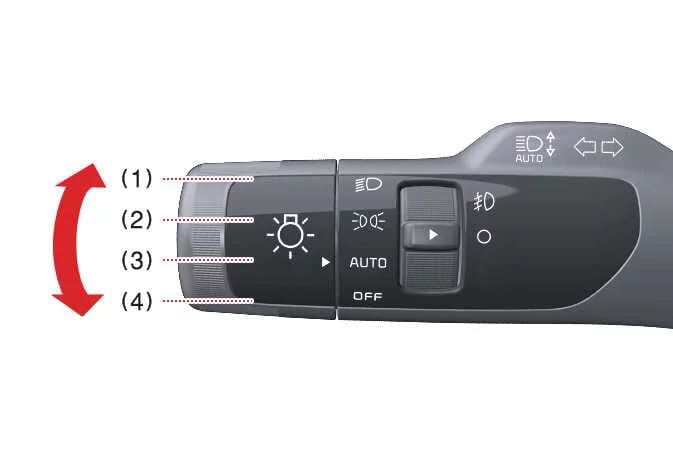
The light switch on the Kia Sorento features dedicated headlight and position lamp settings.
|
|
To operate the lights, turn the knob at the end of the control lever to one of the following settings:
|
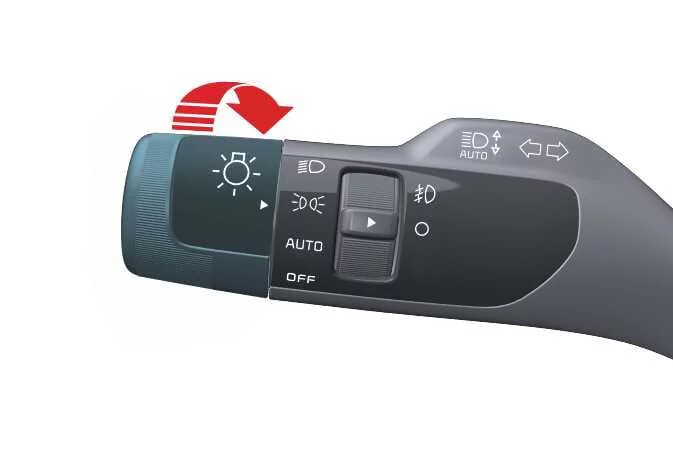
When the light switch is in the lamp position, the front position lamp, taillight, and the license plate lamp will turn ON.
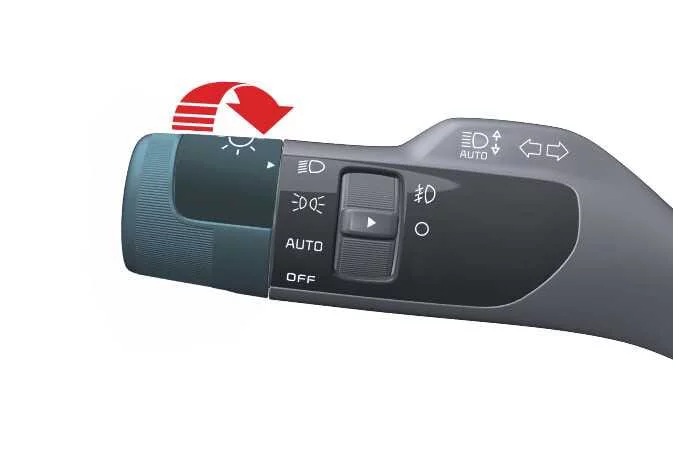
Headlight (Low Beam)
|
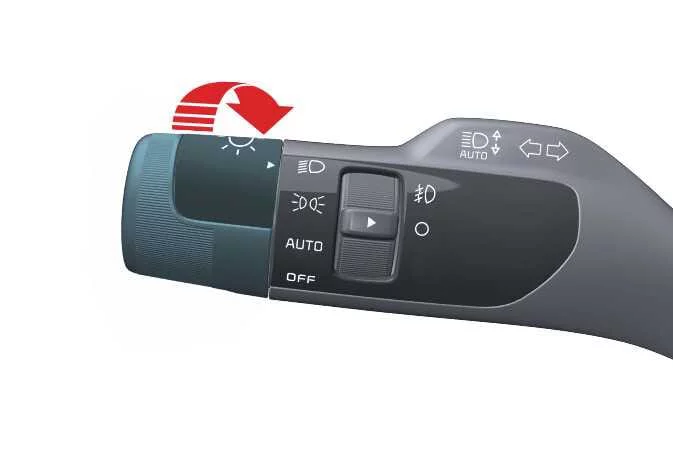
When the light switch is in the headlight position, headlight (low beam), taillight and license plate lamp will turn ON.
TIP
The ENGINE START/STOP button must be in the ON position to turn on the headlights.
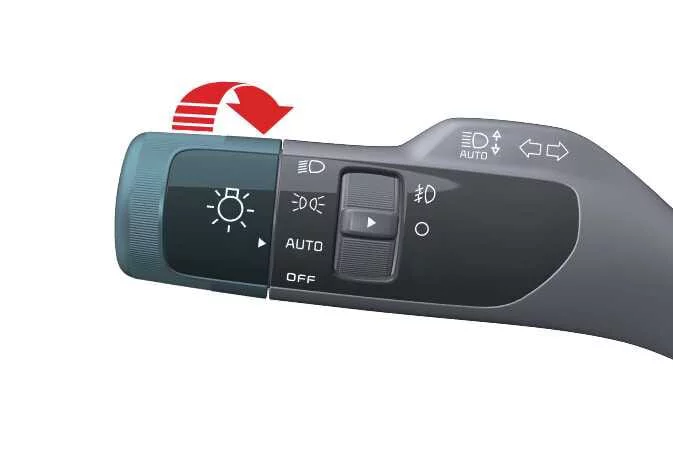
Auto light
|
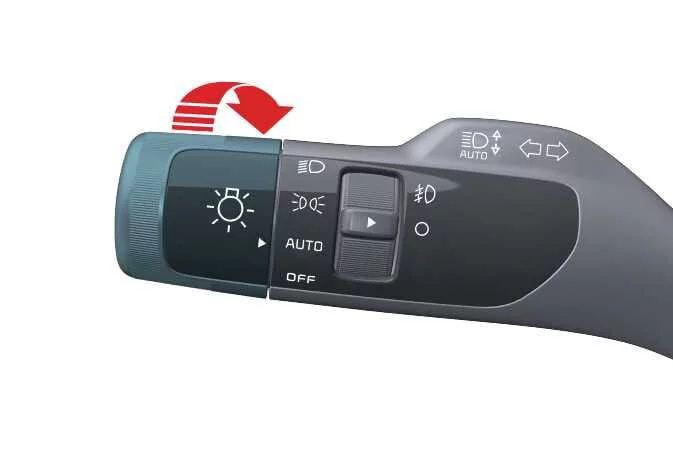
When the light switch is in the AUTO light position, the taillights and headlights will turn ON or OFF automatically depending on the amount of ambient light.
Light switch settings| Setting | Result |
|---|---|
|
Position lamp and taillight 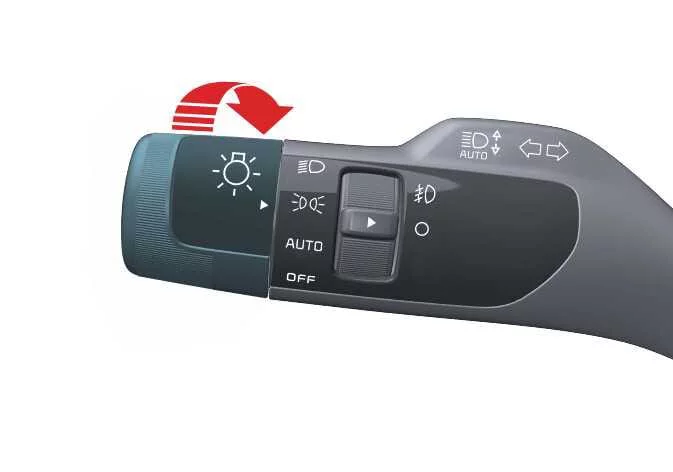
|
Front position lamp, taillights, and license plate lamp are ON. TIP The ENGINE START/STOP button must be ON to turn on the headlights. |
Headlight (low beam) 
|
Low beam headlight, taillight, and license plate lamp are ON. |
AUTO light
|
Taillights and headlights turn ON or OFF automatically depending on the amount of ambient light. |

NOTE
-
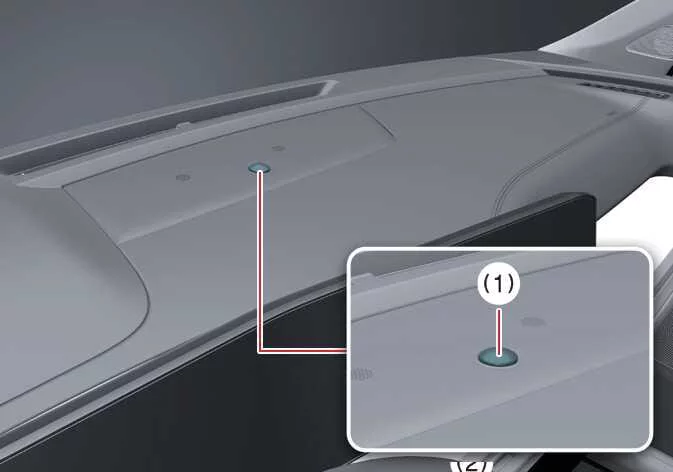
For optimal AUTO light setting performance, never place anything over the sensor (1) located on the instrument panel.
-
Do not clean the sensor with a window cleaner, as it may leave a thin film that could interfere with sensor operation.
-
If your vehicle has a window tint or other metallic coating on the front windshield, the AUTO light system may not work properly.
 Battery saver function. Headlight delay function
 High beam operation. Turn and lane change signal operation. One-touch lane change function
See also:
Digital Key 2 maintenance for a pre-owned vehicle. Limitations of the system
Digital Key 2 maintenance for a pre-owned vehicle
Purchasing a pre-owned vehicle
When taking ownership of a pre-owned Kia Sorento, verify whether any previous access credentials remain active in t ...
Transaxle Oil Temperature Sensor Specifications
▷ Type: Negative Thermal Coefficient Type(NTC)
Temp.( ...
Rear Washer Switch Inspection
Check for continuity between the terminals while operating the wiper and
washer switch. If it is not normal condition, replace wiper and wiper switch.
Rear Wiper Switch
Rear Washer Swi ...
Manuals list
- Kia Sorento MQ4 2021-2026 Owners Manual
- Kia Sorento XM 2011-2015 Owners Manual
- Kia Sorento XM 2011-2015 Service Manual
