
 Kia Sorento: Blind-Spot View Monitor (BVM): (if equipped). Manual Speed Limit Assist (MSLA). Manual Speed Limit Assist operation
Blind-Spot View Monitor (BVM): (if equipped)
|
|
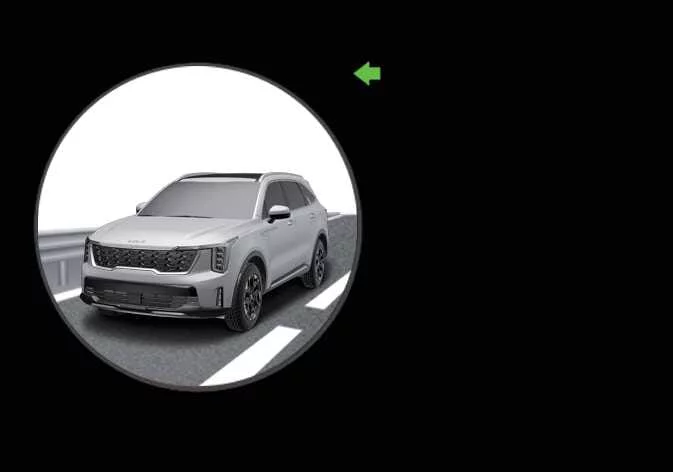
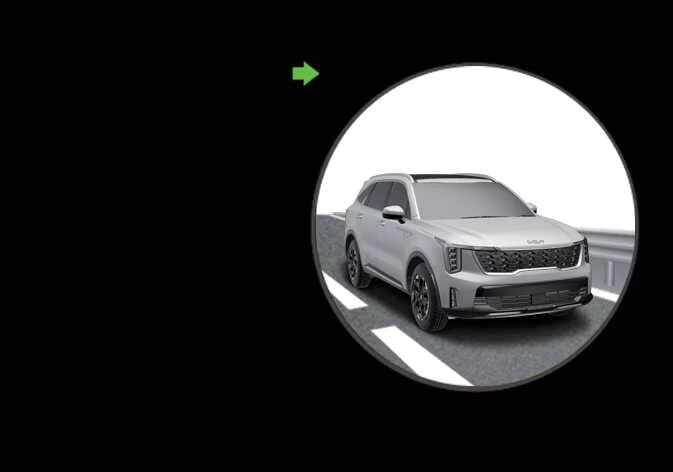
To provide enhanced situational awareness and help you execute lane changes with confidence, the Blind-Spot View Monitor (BVM) in your Kia Sorento projects a real-time high-definition feed of your rear blind spots directly onto the digital instrument cluster whenever the turn signal is activated.
Detection sensor
The accuracy and reliability of this feature depend on integrated camera technology. For precise information regarding the specific sensors utilized for this system and their exact installation locations on your vehicle, please refer to the "Detecting sensor(s)" section of your owner's manual.
Blind-Spot View Monitor settings. Wide Rear View camera
Wide Rear View camera

|
|
With the Kia Sorento ignition in the ON position, you can easily customize the behavior of your driver assistance systems. Access the infotainment home screen, navigate to Setup, and follow the path: Vehicle > Driver Assistance > Driving Safety > Blind-Spot View Monitor. From this menu, you can toggle the system preferences to suit your driving style.
Blind-Spot View Monitor operation
Turn signal lever
|
|
The Blind-Spot View Monitor is designed for intuitive, seamless integration into your daily driving routine; it automatically activates and deactivates in perfect synchronization with your turn signal lever inputs.
Blind-Spot View Monitor
Operating conditions
-
The system is primed to display the corresponding left or right camera feed on the Kia Sorento instrument cluster the moment you engage the turn signal lever.
Non-operating conditions
To prevent visual distraction, the Blind-Spot View Monitor will automatically suppress or turn OFF under the following specific scenarios:
-
Once the turn signal lever is returned to the center (OFF) position.
-
When the hazard warning lights are currently activated.
-
If a higher-priority safety alert or critical warning message needs to be displayed on the instrument cluster.
Blind-Spot View Monitor malfunction
If you observe flickering on the instrument cluster display, notice that the camera feed is distorted, or if the system fails to activate as expected, it may indicate a potential fault. Please have the Kia Sorento Blind-Spot View Monitor system thoroughly inspected by an authorized Kia dealer to ensure your safety features are fully functional.
-
Please note that the perspective and distance of objects shown via the Blind-Spot View Monitor may differ from your side mirrors due to the wide-angle processing of the camera lens. Always supplement the digital feed with a quick glance at your physical mirrors and surrounding area before changing lanes.
-
Consistent camera performance requires a clean lens. Periodically wipe the lens with a soft, microfiber cloth. Avoid using harsh chemical solvents, heavy detergents, high-alkaline cleaners, or volatile substances like gasoline or acetone, as these can permanently damage the camera's optical clarity.
Manual Speed Limit Assist (MSLA). Manual Speed Limit Assist operation
|
|
Manual Speed Limit Assist allows you to set a precise maximum speed for your Kia Sorento, ensuring you remain within legal limits or your personal preferences. If you happen to exceed the preset speed, the system will alert you via a blinking set speed display and an audible chime until you decelerate back within the defined threshold.
Manual Speed Limit Assist operation
Setting the speed limit
-
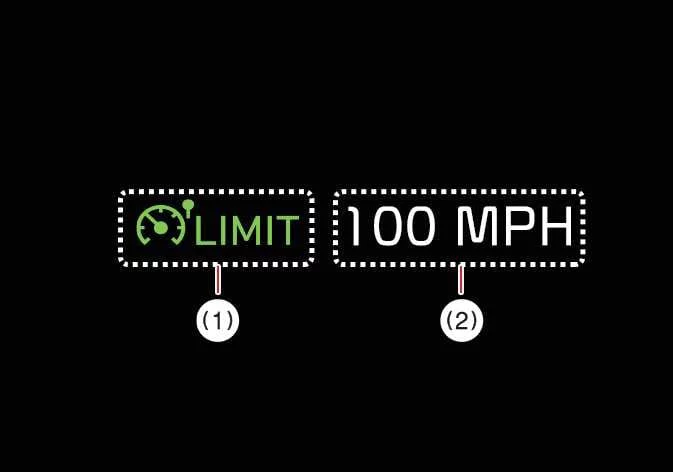
While maintaining your desired cruising speed, press and hold the Driving Assist button. The Speed Limit indicator will illuminate on the Kia Sorento instrument cluster.
-
Push the adjustment switch up or down and release it to set the speed. By pushing and holding the switch, the speed will adjust to the nearest 5 mph or 10 km/h increment, making it simple to refine your target speed.
-
Your chosen speed limit is clearly shown on the instrument cluster. Should you cross this limit, the system will provide visual and audible feedback.

-
The vehicle will maintain the established speed as long as the accelerator pedal is not pressed beyond the internal pressure point.
-
Available speed settings may vary by vehicle trim and region; there are predefined maximum limits that the system will not exceed.
-
Temporarily pausing Manual Speed Limit Assist
|
|
You can instantly suspend the speed limiter by pressing the pause switch. While the active speed limit restriction is temporarily disengaged, the Speed Limit indicator remains ON to show that the system is in standby mode.
Resuming Manual Speed Limit Assist
|
|
To reactivate the speed limiter after a pause, utilize the steering wheel control switches:
-
Pushing the adjustment switch up or down will set the limit to your current real-time vehicle speed.
-
Pressing the resume switch will immediately re-engage your previously stored speed limit.
Turning OFF Manual Speed Limit Assist
|
|
To completely disable the system, press the Driving Assist button. The Speed Limit indicator will extinguish, signifying that manual speed control is fully restored.
Precautions for safe operation:
Always calibrate your speed limit to remain within the legal posted limits of the road.
Keep the system switched OFF when not in use to prevent accidental activation. Confirm that the Speed Limit indicator is not visible on the cluster.
Manual Speed Limit Assist is a convenience tool, not an autonomous driver. It does not replace your focus. You remain fully responsible for monitoring traffic, road conditions, and responding safely to sudden driving hazards.
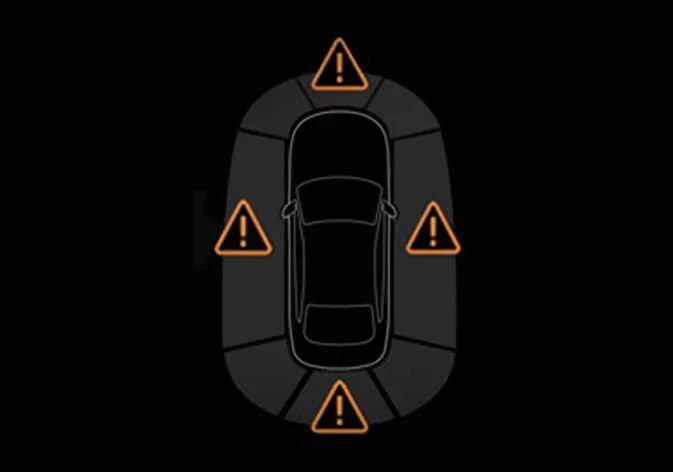
 Safe Exit Assist malfunction and limitations
 Intelligent Speed Limit Assist (ISLA): (if equipped)
See also:
IPM Description
IPM (Intelligent intergrated Platform Module) receives various
input switch signals ling time and alarm fuctions for fr washer interlocking
wiper, fr intermittent wiper, mist wiper, rea ...
Front Seat Belt Replacement
Front Seat Belt Replacement
...
Engine Oil Inspection
1.
Check the engine oil quality.
Check the oil deterioration, entry of water, discoloring of thinning.
If the quality is visibly poor, replace the oil.
...
Manuals list
- Kia Sorento MQ4 2021-2026 Owners Manual
- Kia Sorento XM 2011-2015 Owners Manual
- Kia Sorento XM 2011-2015 Service Manual
