
 Kia Sorento: High beam operation. Turn and lane change signal operation. One-touch lane change function
High beam operation
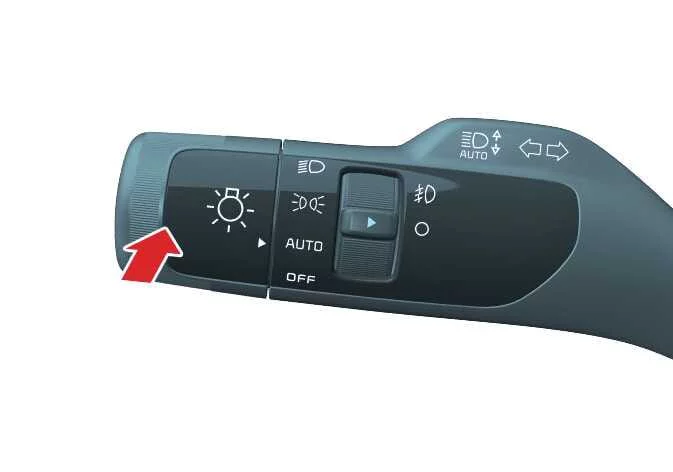
|
- To turn on the high beam headlights, push the lever away from you.
When the high beam headlights are turned ON, the lever will return to its original position, and the high beam indicator on the information cluster will illuminate.
WARNING
High beams
Do not use the high beam headlight when there are other vehicles in front of or approaching your vehicle, as the light may obstruct the other driver’s vision.
- To flash the high beam headlamps, pull the lever toward you.
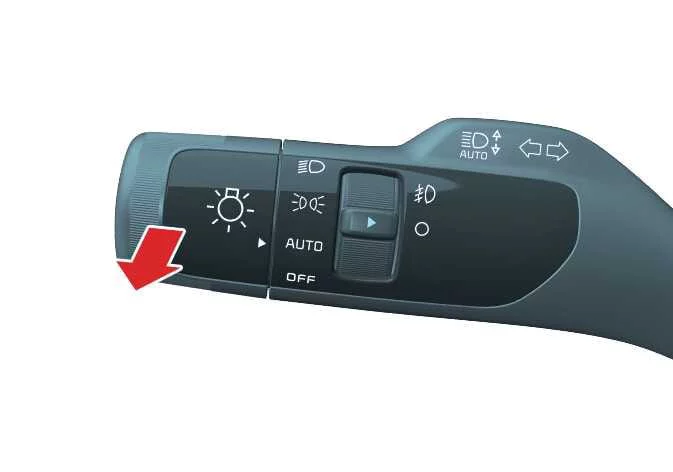
The lever will return to the normal (low beam) setting when released. The headlight switch does not need to be on to flash the high beam headlights.
Turn and lane change signal operation. One-touch lane change function
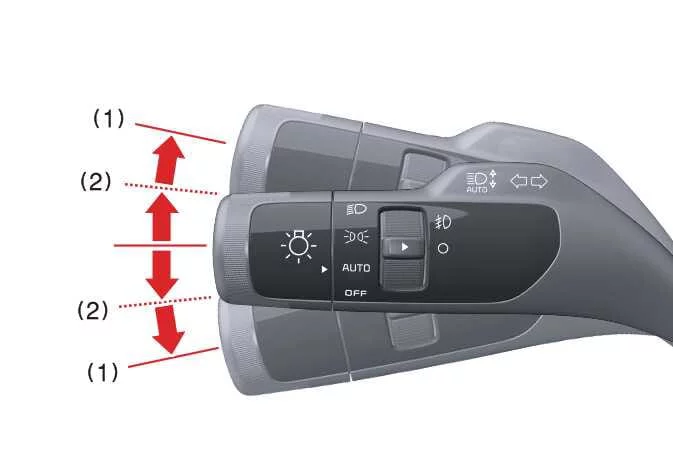
|
The ENGINE START/STOP button must be ON for the turn signals to function.
- To engage the turn signal, move the lever up or down (1).
The green arrow indicators on the instrument panel indicate which turn signal is operating.
The turn signal will cancel itself after you complete a turn. If the indicator continues to flash after a turn, manually return the lever to the OFF position.
- To signal a lane change, move the turn signal lever slightly and hold it in position (2).
The lever will return to the OFF position when released.
If an indicator stays on and does not flash, or if it flashes abnormally, one of the turn signal bulbs may be burned out and need to be replaced.
One-touch lane change function
To use the one-touch lane change function, move the turn signal lever slightly, then release it. The lane change signals will blink 3, 5, or 7 times.
You can activate or deactivate the one-touch lane change function or choose the length of blinking (3, 5, or 7 times) by selecting User Settings > Lights > One Touch Turn Signal.
NOTE
If an indicator flash is abnormally quick or slow, a bulb may have a poor electrical connection in the circuit, or it may be burned out and need to be replaced.
 Daytime running light (DRL): (if equipped). Lighting control
 Front fog light operation: (if equipped). High Beam Assist (HBA)
See also:
Quarter Fixed Glass Installation
1.
With a putt knife, scrape the old adhesive smooth to a thickness
of about 2mm (0.08 in.) on the bonding surface around the entire quarter
fixed glass flange.
...
Power Door Mirror Switch Circuit Diagram
...
IMS module Installation
1.
Install the IMS module after reconnecting the connector.
2.
Install the driver seat.
...
Manuals list
- Kia Sorento MQ4 2021-2026 Owners Manual
- Kia Sorento XM 2011-2015 Owners Manual
- Kia Sorento XM 2011-2015 Service Manual
