
 Kia Sorento: System settings
Press the 
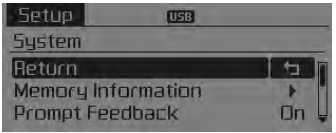
key ![Select [System]](images/books/3/1/page.h221.gif)
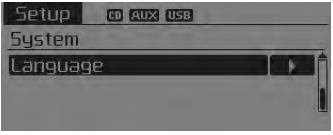
Select [System] 
Select menu through 
TUNE knob
Memory Information
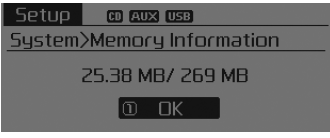
Displays currently used memory and total system memory.
Select [Memory Information]
 OK The currently used memory is displayed
on the left side while the total system memory is displayed on the right side.
Prompt Feedback
This feature is used to change voice command feedback between Normal and Expert modes.
Select [Prompt Feedback]
 Set through
 TUNE knob
- • On : This mode is for beginner users and provides detailed instructions during voice command operation.
- • Off : This mode is for expert users and omits some information during voice command operation. (When using Expert mode, guidance instructions can be heard through the [Help] or [Menu] commands.
Language
This menu is used to set the display and voice recognition language.
Select [Language]
 Set through
 TUNE knob
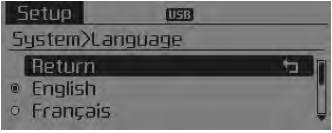
❈ The system will reboot after the language is changed.
❈ Language support by region - English, Francais, Espanol
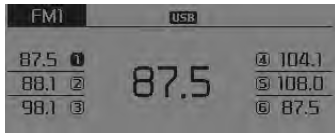
Radio : FM, AM OR Sirius
Seek
Press the 
key
- • Shortly pressing the key (under 0.8 seconds): Automatically searches for the next station.
- • Pressing and holding the key (over 0.8 seconds): While holding the key , frequency changes without stopping. When the key is released, automatically searches for the next frequency from that point.
Preset SEEK
Press the  ~
~
 key • Shortly pressing the key (under
0.8 seconds): Plays the frequency saved in the corresponding key. • Pressing and
holding the key (over 0.8 seconds): Pressing and holding the desired key from
 ~
~
 will save the currently playing broadcast
to the selected key and sound a BEEP.
SCAN
Press the  key
key
- • Shortly pressing the key (under 0.8 seconds): The broadcast frequency increases and previews each broadcast for 5 seconds each. After scanning all frequencies, returns and plays the current broadcast frequency.
- • Pressing and holding the key (over 0.8 seconds): Previews
the broadcasts saved in Preset
 ~
~
 for 5 seconds each.
Selecting through manual search
Turn the 
TUNE knob left/right to adjust the frequency.
- FM : Changes by 200KHz
- AM : Changes by 10KHz
MENU Within 
key are the A.Store (Auto Store) and Info functions.
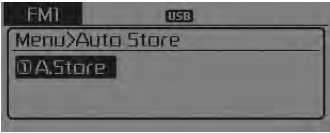
 A.Store
Press the 
key ![[A.Store] through](images/books/3/1/page.h246.gif) Set
Set
[A.Store] through 
TUNE knob or 
key. Saves broadcasts with superior reception to
 ~
~
 keys.If no frequencies
are received, then the most recently received frequency will be broadcast.
 Sound settings
Press the
key
Select [Sound] through
TUNE knob or key
Select menu through
TUNE knob
Sound Settings
This menu allows you to set the ‘Bass, Middle, Treble’ and the Sound Fader ...
 Sirius TM Satellite Radio information
Satellite Radio channels:
SIRIUS TM Satellite Radio has over 130 channels, including
69 channels of 100% commercial-free music, plus sports, news, talk and entertainment
available nationwide in you ...
See also:
Direct Electro Hydraulic Actuator Coupling Description
4WD ECU processes signals from various sensors and determines the current
road and driving conditions. The ECU then utilizes this information to implement
precision control over the 4WD coupl ...
Water pump Troubleshooting
Symptoms
Possible Causes
Remedy
Coolant leakage
•
From the bleed hole of the water pump
Visually chec ...
Brake Pedal Adjustment
Brake Pedal Height and Free Play
1.
Disconnect the stop lamp switch connector (A) and loosen the stop
lamp switch lock nut.
2. ...
Categories
- Home
- First Generation
- Second Generation
- Kia Sorento XM 2011-2025 Owners Manual
- Kia Sorento XM 2011-2025 Service Manual
