
 Kia Sorento: Transmitter Code Registration (Using GDS)
Second Generation XM (2011-2026) / Kia Sorento XM 2011-2026 Service Manual / Body Electrical System / Keyless Entry And Burglar Alarm / Transmitter Code Registration (Using GDS)
| 1. |
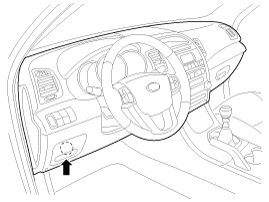
Connect the DLC cable of GDS to the data link connector (16 pins)
in driver side crash pad lower panel, turn the power on GDS.
|
| 2. |
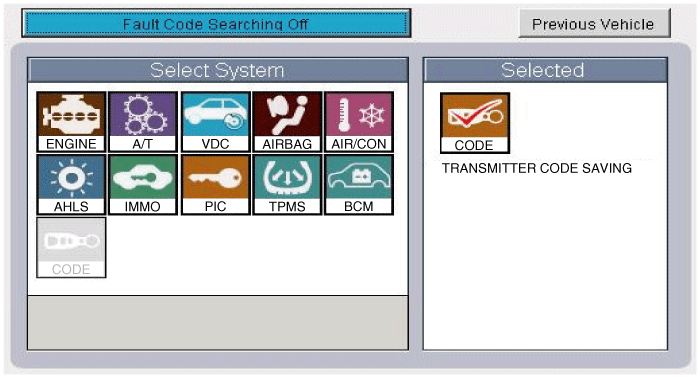
Select the vehicle model and then do "CODE SAVING"
|
| 3. |
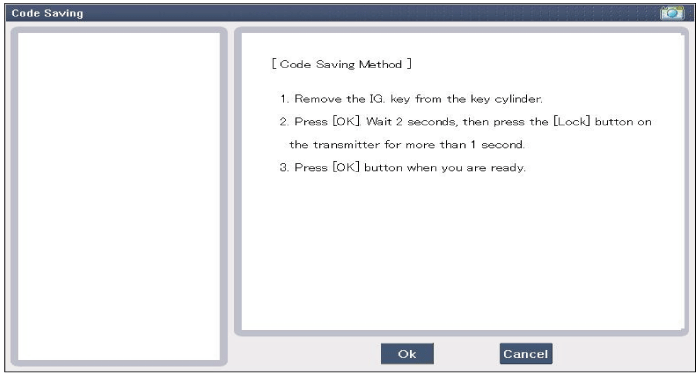
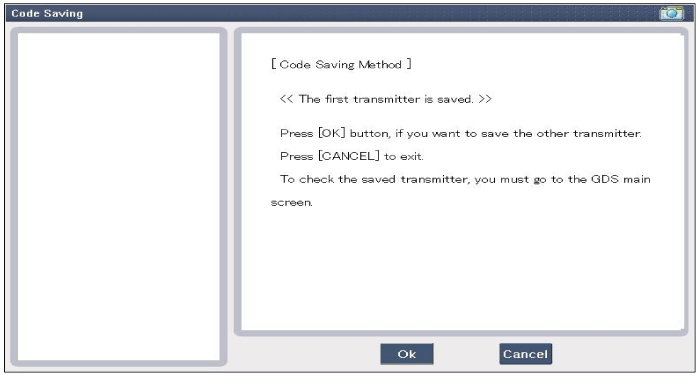
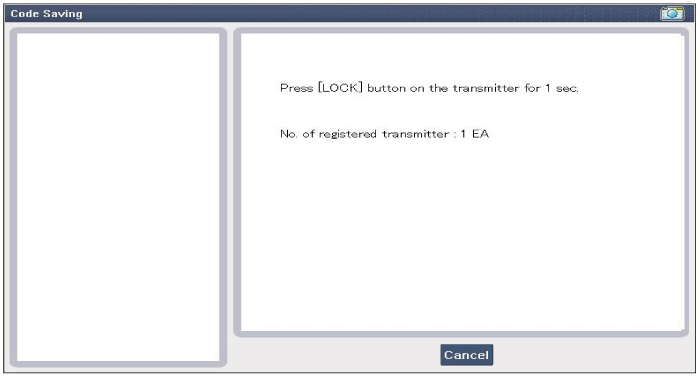
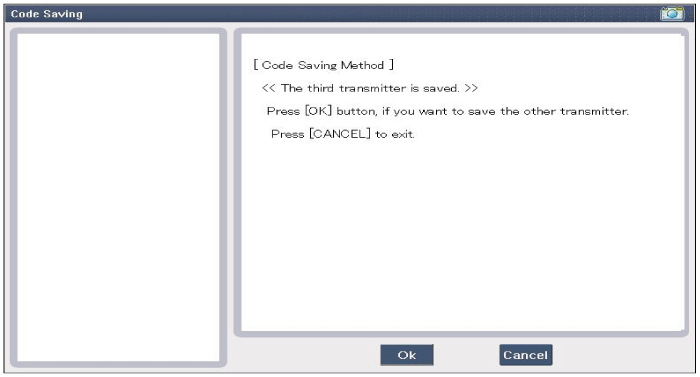
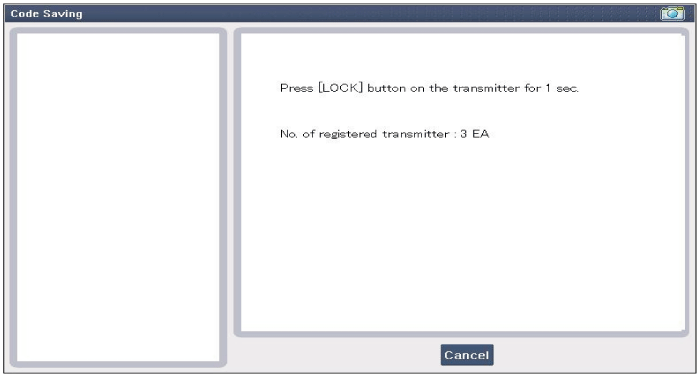
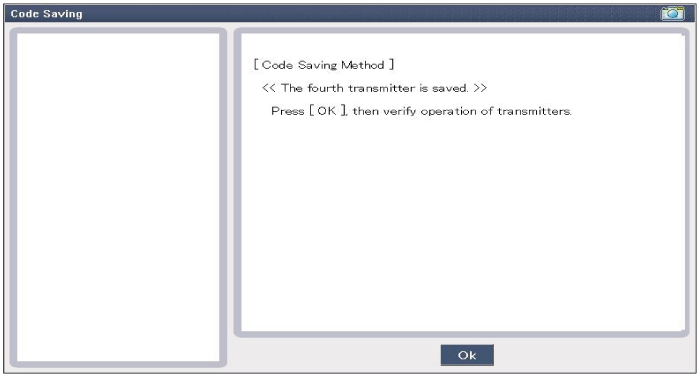
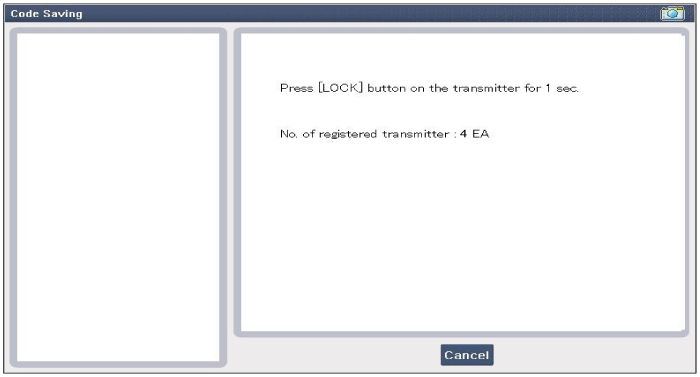
After selecting "CODE SAVING" menu, button "ENTER" key, then the
screen will be shown as below.
|
| 4. |
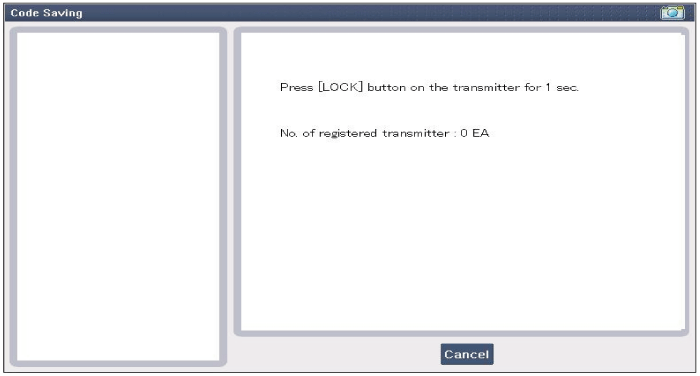
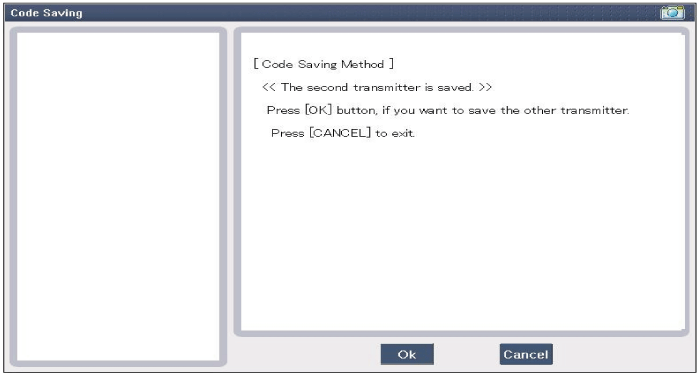
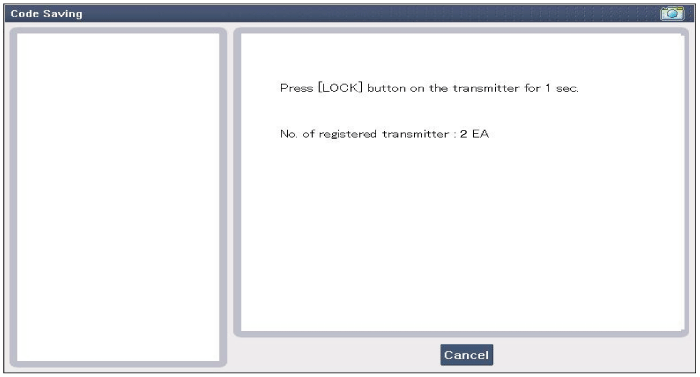
After removing the ignition key from key cylinder, push "ENTER"
key to proceed to the next mode for code saving. Follow steps 1 to 4
and then code saving is completed.
|
 Transmitter Inspection
1.
Check that the red light flickers when the door lock or unlock
button is pressed on the transmitter.
2.
Remove the battery (A) and check ...

See also:
Hands Free Switch Inspection
1.
Check the handsfree remote control switch for resistance between
No.2 and No.5 terminals in each switch position.
[Call + Hang Up]
Switch
...
Using the USB device
To use an external USB device, make sure the device is not connected when
starting up the vehicle. Connect the device after starting up.
If you start the engine when the USB device is connected ...
Fuel Pump Inspection
[Fuel pump motor]
1.
Turn the ignition switch OFF, and then remove battery (-) cable.
2.
Remove the fuel pump assembly.
...
Categories
- Home
- First Generation
- Second Generation
- Kia Sorento XM 2011-2026 Owners Manual
- Kia Sorento XM 2011-2026 Service Manual

Copyright © www.ksmanual.com 2014-2026