
 Kia Sorento: LCD Modes
Trip Computer

This mode displays driving information like the tripmeter, fuel economy, and so on.
Service


This mode informs of service interval (mileage or days) and warning messages related to TPMS or washer fluid.
User Settings

On this mode, you can change settings of the doors, lamps, and so on.
A/V (if equipped)

This mode displays the state of the A/V system.
Turn By Turn (if equipped)

This mode displays the state of the navigation.
Service Mode
Service Interval
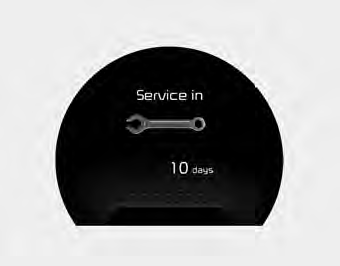
Service in
It calculates and displays when you need a scheduled maintenance service (mileage or days).
If the remaining mileage or time reaches 900 mi. (1,500 km) or 30 days, "Service in" message is displayed for several seconds each time you set the ignition switch or Engine Start/Stop Button to the ON position.
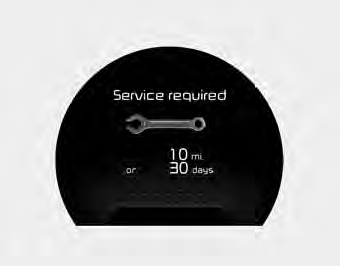
Service required
If you do not have your vehicle serviced according to the already inputted service interval, “Service required” message is displayed for several seconds each time you set the ignition switch or Engine Start/Stop Button to the ON position (The mileage and time changes to "---").
To reset the service interval to the mileage and days you inputted before:
Press the RESET button 
for more than 1 second.
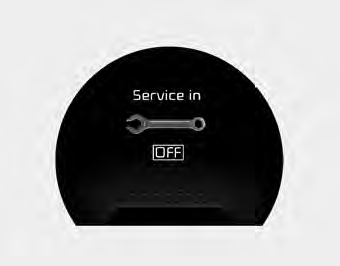
Service in OFF
If the service interval is not set, “Service in OFF” message is displayed on the LCD display.
✽ NOTICE
If any of the following conditions occurs, the mileage and days may be incorrect. The battery cable is disconnected. The fuse switch is turned off. The battery is discharged.
Master Warning Mode (if equipped)

This warning light informs the driver the following situations
- Low washer fluid (if equipped)
- TPMS (if equipped)
- Service reminder (if equipped)
The Master Warning Light illuminates when more than one of the above warning
situations occur. At this time, the LCD Modes Icon will change from (
 ) to (
 ).
).
If the warning situation is solved, the master warning light will be turned off
and the LCD Modes Icon will be changed back to its previous icon (
 ). (ex : refill the washer fluid)

 User Settings Mode
Description
On this mode, you can change setting of the doors, lamps, and so on.
Door
Auto Door Lock (if equipped)
• Off:
The auto door lock operation will be deactivated.
• Speed: ...
See also:
Record your key number
The key code number is stamped on the key code tag attached to the key set. Should
you lose your keys, this number will enable an authorized Kia dealer to duplicate
the keys easily. Remove the key ...
Rear combination lamp Installation
1.
Install the tailgate combination lamp assembly after replacing
the bulb.
2.
Install the lamp cover to the tailgate after connecting the ...
Categories
- Home
- First Generation
- Second Generation
- Kia Sorento XM 2011-2025 Owners Manual
- Kia Sorento XM 2011-2025 Service Manual
