
 Kia Sorento: Setup
Display Settings
Press the 
key ![[Display] through](images/books/3/1/page.h187.gif) Select
Select
[Display] through 
TUNE knob or 
key  Select
menu through 
TUNE knob
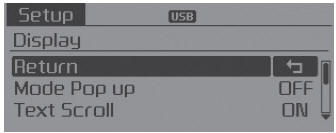
Mode Pop up
[Mode Pop up] 
Changes  selection mode
During On state, press the
 or
or
 key to display
the mode change pop up screen.
Text Scroll
[Text Scroll] 
Set 
-

:Maintains scroll  : Scrolls only one (1) time.
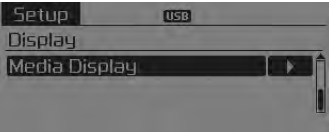
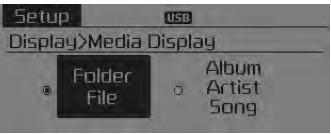
Media Display
When playing an MP3 file, select the desired display info from ‘Folder/File’ or ‘Album/Artist/Song’.
 Audio Head Unit
(1)
(EJECT)
Ejects the disc.
(2)
Changes to FM/AM/SIRIUS mode.
Each time the key is pressed, the mode is changed in order of FM1 ➟ FM2 ➟ AM
➟ SAT1 ➟ SAT2 &# ...
 Sound settings
Press the
key
Select [Sound] through
TUNE knob or key
Select menu through
TUNE knob
Sound Settings
This menu allows you to set the ‘Bass, Middle, Treble’ and the Sound Fader ...
See also:
Specification
[Throttle Position Sensor (TPS)]
Throttle Angle(°)
Output Voltage(V)
TPS1
TPS2
0
0.0
5.0
10
0.48
4.52
...
IMS module Removal
1.
Remove the negative (-) battery terminal.
2.
Remove the front seat assembly.
(Refer to Body - "Front Seat")
...
Front Washer Motor Installation
1.
Reassemble the washer reservoir.
Before installing the pump motor, che ...
Categories
- Home
- First Generation
- Second Generation
- Kia Sorento XM 2011-2026 Owners Manual
- Kia Sorento XM 2011-2026 Service Manual
