
 Kia Sorento: Forward/Reverse Parking Distance Warning operation
Parking Safety button

|
Press the physical Parking Safety button ( ) located on your console to manually turn ON the
Forward/Reverse Parking Distance Warning system on your Kia Sorento, and press it again whenever you wish to
switch
the function off.
) located on your console to manually turn ON the
Forward/Reverse Parking Distance Warning system on your Kia Sorento, and press it again whenever you wish to
switch
the function off.
Additionally, shifting the transmission gear selector directly into R (Reverse) will automatically engage the Parking Distance Warning system, keeping the corresponding button indicator lit.
Forward Parking Distance Warning
The Forward Parking Distance Warning system on your Kia Sorento will initiate and operate whenever any of the following driving conditions are met:
-
You shift the transmission gear selector from R (Reverse) into D (Drive) while the Reverse Parking Distance Warning system remains active.
-
The vehicle gear is in D (Drive) and the dashboard Parking Safety (
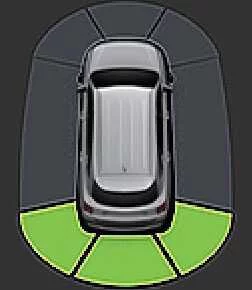 ) button indicator light is
manually
illuminated.
) button indicator light is
manually
illuminated. -
The Forward Parking Distance Warning system automatically alerts you while driving in D (Drive) provided you have previously enabled the Parking Distance Warning Auto On setting within the infotainment screen menu.
NOTE
-
Forward Parking Distance Warning functionality is active exclusively when your Kia Sorento travels at low speeds below 6 mph (10 km/h).
-
When the transmission is engaged in R (Reverse), the front system suppresses alerts for distant objects, restricting forward warnings strictly to obstacles positioned within 24 in (60 cm) directly outside the front bumper.
-
If you choose not to activate Parking Distance Warning Auto On, the forward warning system and its button indicator will automatically switch off once your driving speed exceeds 18 mph (30 km/h) and will not re-engage automatically even if you slow back down below 6 mph (10 km/h).
Warning indicator and warning sound
|
Distance from object |
Warning indicator |
Warning sound |
|
|---|---|---|---|
|
Instrument cluster |
Infotainment system screen |
||
|
24–48 in (60–120 cm) |
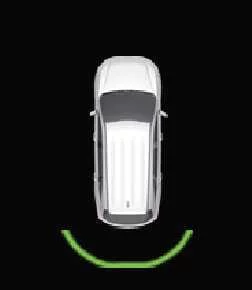
|
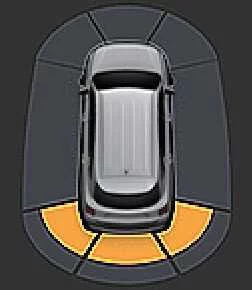
|
Buzzer beeps intermittently (front inner side) |
|
12–24 in (30–60 cm) |
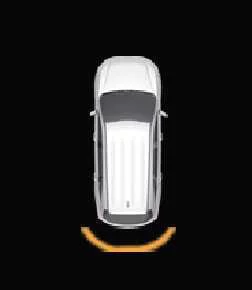
|
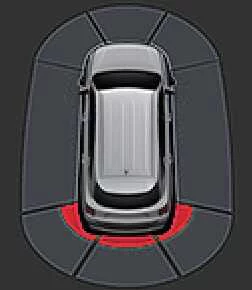
|
Buzzer beeps more frequently |
|
within 12 in (30 cm) |
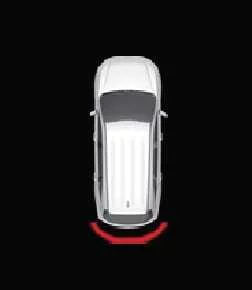
|
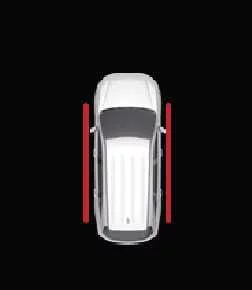
|
Buzzer beeps continuously |
-
A corresponding visual indicator appears on screen alongside an audible chime whenever individual ultrasonic sensors detect pedestrians, animals, or objects within their active monitoring range.
-
When multiple obstacles are detected simultaneously around your Kia Sorento, the system prioritizes and directs its audible warning toward the closest object.
-
If an object is positioned farther than 24 in (60 cm) away, the digital instrument cluster intentionally withholds visual warning indicators.
-
The exact graphical shape of the warning indicator shown in reference illustrations may vary slightly depending on your vehicle model year and software version.
Reverse Parking Distance Warning
The Reverse Parking Distance Warning system engages automatically on your Kia Sorento the moment you shift your transmission gear selector into R (Reverse).
Warning indicator and warning sound
|
Distance from object |
Warning indicator |
Warning sound |
|
|---|---|---|---|
|
Instrument cluster |
Infotainment system screen |
||
|
24–48 in (60–120 cm) |
|
|
Buzzer beeps intermittently |
|
12–24 in (30–60 cm) |
|
|
Buzzer beeps more frequently |
|
within 12 in (30 cm) |
|
|
Buzzer beeps continuously |
-
A matching visual prompt pops up and an audible warning tone sounds whenever the rear ultrasonic sensors pick up a person, animal, or physical object within range.
-
If multiple objects are detected simultaneously while reversing your Kia Sorento, the audio alert dynamically shifts focus to the closest hazard.
-
The physical styling of the screen indicators shown in the reference manual diagrams may differ slightly from the graphics rendered on your specific vehicle display.
See also:
Tires/Wheels
•
Using tires and wheel other than the recommended sizes
could cause unusual handling ...
Troubleshooting
Problem Symptoms Table
Before replacing or repairing air conditioning components, first determine
if the malfunction is due to the refrigerant charge, air flow or compressor.
Us ...
Rear Cross-Traffic Collision-Avoidance Assist malfunction
(A) Check Driver Assistance system
...