
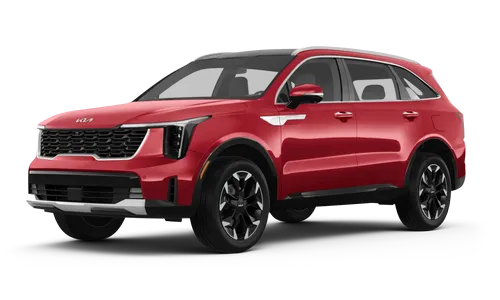
 Kia Sorento: Description and Operation
Kia Sorento (MQ4, 2021-2026) Service Manual / Body Electrical System / Smart Key System / Description and Operation
| Description |
| Main features of the smart systems |
| 1. |
Vehicle entry and control through driver and passenger doors and tailgate.
|
| 2. |
Detecting the presence or absence of a smart key indoor for starting the engine.
|
| 3. |
Communication via smart key system.
|
| 4. |
Locking and unlocking the door through the button on the driver/passenger door outside handles.
|
| 5. |
Entry via tailgate outside handle switch
|
| 6. |
Up to 2 smart keys can be operated.
|
| Function |
Unlocking Doors
Vehicle status : All doors are locked and IG OFF.
| 1. |
The user presses the door lock button on the door handle.
|
| 2. |
The BDC - SMK uses the antenna on the door handle to find the smart key.
|
| 3. |
The smart key transmits a response signal and data using an internal antenna, receives data from the
BDC-SMK using a receiver, and verifies the authentication key.
|

| 4. |
The BDC - SMK transmits a door unlock signal to the powernet domain controller via the CAN communication
line.
|
| 5. |
After receiving the door unlock signal, the powernet domain controller executes all doors unlock
operations.
|
Locking Doors
Vehicle status : All doors are unlocked and IG OFF.
| 1. |
The user presses the door lock button on the door handle.
|
| 2. |
The BDC - SMK uses the antenna on the door handle to find the smart key.
|
| 3. |
The smart key transmits a response signal and data to the BDC - SMK.
|
| 4. |
The BDC - SMK transmits a door lock signal to the powernet domain controller via the CAN communication
line.
|
| 5. |
After receiving the door lock signal, the powernet domain controller executes all doors lock operations.
|
Remote engine Start with Smart Key
A function to engine start by pressing the remote start button with the smart key.
(Enhance user convenience by activating the air conditioning/heater system before boarding the vehicle)
| 1. |
Receiving signal distance : Maximum 10 m (32 ft.)
|
| 2. |
Holding time : Maximum 10 min.
|
| 3. |
Operation method :
|
| 4. |
Checking start condition : able to check starting through see blinking of emergency lights.
|
| 5. |
Security : During the remote start, if the registered smart key is not present in the vehicle with the
driver, the ignition is stopped.
|
Welcome Door Mirror
A function to control the vehicle door mirror through smart key authentication when a driver with a smart key
approaches the vehicle
Pre-Authentication
| 1. |
If the door is opened, it searches for the presence of a smart key in the vehicle every 3 seconds.
|
| 2. |
After the smart key is found in the vehicle, it maintains the authentication status for 3 seconds and then
searches again.
|
| 3. |
If the door is closed, it searches inside the vehicle.
|

Vehicle Starting Authentication
The ignition can be started after checking the authentication key.
| 1. |
Set the gear lever to 'P' or 'N', then press down the brake pedal and press the
start/stop button.
|
| 2. |
Search for a smart key in the vehicle inside.
|
| 3. |
When a smart key is found in the inside the vehicle, the vehicle control unit makes it possible to start.
|
| 4. |
Authentication
|
Transponder Communication
Authentication through communication with transponder in case of emergency (empty smart key battery, etc.)
| 1. |
If there is no smart key inside the vehicle after searching for an external antenna, transponder
communication is automatically attempted even if the key is not entered.
|
Smart Key Reminder 1
A function to prevent the knob switch of the vehicle door from being locked when the door is open and there is a
smart key inside the vehicle.
* Smart Key reminder 1 verification process
| 1. |
When at least one or more doors are open when ACC is OFF.
|
| 2. |
When there is a smart key inside the vehicle
|
| 3. |
Checks if the smart key is inside the vehicle when trying to lock the door.
|
| 4. |
When a smart key is detected inside the vehicle, the door switch activates the door opening to prevent the
door from locking.
|
Smart Key Reminder 2
Check the locking state for 0.5 seconds after the vehicle door is closed to allow it to open when locked.
* Smart Key reminder 2 verification process
| 1. |
When at least one door including tailgate/trunk is open when the IG OFF.
|
| 2. |
When there is a smart key inside the vehicle
|
| 3. |
When all doors are closed, including the tailgate/trunk.
|
| 4. |
When a smart key is detected inside the vehicle, the door switch unlocks all the doors in the vehicle and
the BDC - SMK operates the external buzzer.
|
Door Lock Warning 1
A function to prevent the user from leaving the vehicle when the vehicle door is normally locked and ACC ON or IG
ON
| 1. |
Vehicle status conditions
|
| 2. |
Door Lock Warning 1 verification process
|
Door Lock Warning 2
A function to prevent the user from leaving the vehicle if the door is normally locked with one or more doors open.
| 1. |
Vehicle status conditions
|
| 2. |
Door Lock Warning 2 verification process
|
Door Lock Warning 3
A function to warn when the user tries to lock the door when the smart key is inside the vehicle.
| 1. |
Vehicle status conditions
|
| 2. |
Door Lock Warning 3 verification process
|
ID OUT Warning
| 1. |
A function to warn when user leaving the vehicle when ACC ON or IG1 ON.
|
| 2. |
If there is a smart key inside, try authentication again, and when the smart key responds, the
authentication state is maintained and the interior and exterior buzzers are stopped.
|
| 3. |
ID OUT verification process
|
Smart Key Warning
| 1. |
When the vehicle moves below 1.8 mph (3 km/h) and ACC ON or IG ON, and one or more doors are open, it
searches inside the vehicle every 3 seconds, and the warning light flashes if the smart key is not inside the
vehicle.
|
| 2. |
With all doors closed, there are no more warnings if the smart key is retrieved only once.
|
Specification
RF Receiver
Item
Specification
Frequency(Rx)
433.92 Mhz
...
 Specification
On Vehicle Inspection
Diagnostic with KDS
1.
The smart key system can quickly diagnosed for problems with the KDS (Refer ...
 On Vehicle Inspection
See also:
Front Seat Replaccement
Seat Assembly Replacement
1.
Remove the seat assembly mounting cover.
2.
After loosening the seat assembly mounting bolts, remove the seat
...
Evaporator Temperature Sensor Inspection
Inspection
1.
IG ON.
2.
A/C switch ON.
...
Fuel Pump Inspection
[Fuel pump motor]
1.
Turn the ignition switch OFF, and then remove battery (-) cable.
2.
Remove the fuel pump assembly.
...
Manuals list
- Kia Sorento MQ4 2021-2026 Owners Manual
- Kia Sorento XM 2011-2015 Owners Manual
- Kia Sorento XM 2011-2015 Service Manual

Copyright © www.ksmanual.com 2014-2026 - 0.0521