
 Kia Sorento: Navigation-based Smart Cruise Control settings. Auto Highway Speed Change. Navigation-based Smart Cruise Control operation
Navigation-based Smart Cruise Control settings. Auto Highway Speed Change
Auto Highway Speed Change
| Configuration Interface | Navigation Steps |
|---|---|
 |
|
While the vehicle ignition is in the ON position, you can customize your preferences by navigating through your Kia Sorento infotainment screen: Setup > Vehicle > Driver Assistance > Driving Convenience > Auto Highway Speed Change.
System Status
If the system detects a technical limitation or a fault with the Navigation-based Smart Cruise Control, the ability to toggle this function ON will be automatically disabled within the settings menu for your protection.
Navigation-based Smart Cruise Control operation
Operating conditions
For the Navigation-based Smart Cruise Control to engage effectively, your Kia Sorento must meet the following baseline requirements:
-
The standard Smart Cruise Control system must be active and engaged.
-
The vehicle must be actively traveling on a recognized highway or major arterial road registered within the navigation database.
Reference
For comprehensive details regarding the base operation, engagement procedures, and limitations of the Smart Cruise Control (SCC) system, please refer to the corresponding section of your owner’s manual.
Navigation-based Smart Cruise Control display and control
| Instrument Cluster Display | Indicator Reference |
|---|---|
|
|
When the Navigation-based Smart Cruise Control is actively monitoring or controlling your Kia Sorento, the instrument cluster will provide visual feedback via specific indicators:
Navigation-based Smart Cruise Control standby
When the vehicle meets all necessary operational criteria and the system is primed, the green () indicator will illuminate, signaling that the system
is in
standby mode.
Navigation-based Smart Cruise Control operating
During active speed modulation, the green () indicator will blink to confirm that the
system
is currently adjusting your speed based on navigation data.
Navigation-based Smart Cruise Control pause/driver operation
If the Smart Cruise Control cannot maintain automated operation—either because the driver has manually paused the
system or the navigation unit is currently recalculating a route—the gray () indicator will appear.
Should you manually engage the accelerator pedal to override the system, the white ( ) indicator will blink on the cluster.
Safety Warning
In scenarios where the Navigation-based Smart Cruise Control determines it cannot reduce your Kia Sorento speed to a safe level for upcoming road geometry, a visual warning message will be displayed.
| Warning Display | Description |
|---|---|
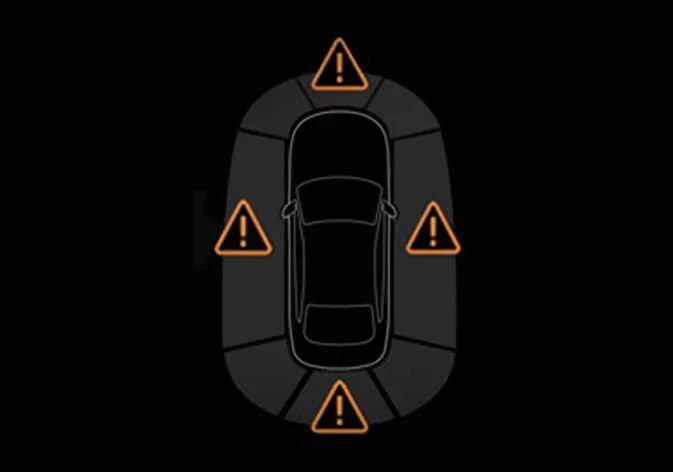 |
(A) Drive carefully |
Visual Variations
Please be aware that specific icon colors, placement, and visual styles may differ slightly depending on your Kia Sorento's instrument cluster configuration, trim level, or selected digital theme.
Highway Curve Zone Auto Slowdown
The vehicle proactively decelerates as it approaches a detected curve on the highway. Once the Kia Sorento has successfully navigated the turn, the system will automatically return the vehicle to the previously configured Smart Cruise Control set speed.
Performance Note
The exact point at which deceleration commences is dynamically calculated based on your current velocity and the severity of the road curvature. Higher approach speeds will trigger an earlier deceleration phase to ensure a smooth transition.
 Navigation-based Smart Cruise Control (NSCC): (if equipped)
 Navigation-based Smart Cruise Control limitations
See also:
Auto Defogging Actuator Description
The auto defogging sensor is installed on front window glass. The sensor
judges and sends signal if moisture occurs to blow out wind for defogging. The
air conditioner control module receives ...
Specifications
Items
Specification
Rated voltage
DC 12V
Operating voltage
9V ~ 16V
Operating speed
30㎞/h ~ 250㎞/h
...
Manuals list
- Kia Sorento MQ4 2021-2026 Owners Manual
- Kia Sorento XM 2011-2015 Owners Manual
- Kia Sorento XM 2011-2015 Service Manual
